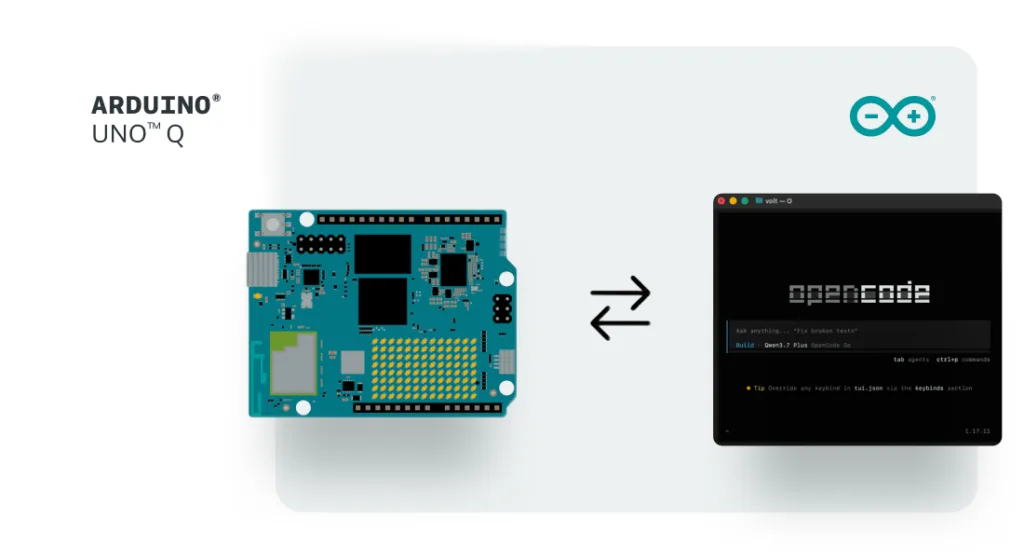
Why agents need their own environment
An AI agent differs fundamentally from a chatbot. It observes its surroundings, executes an action, registers what happens, recalibrates, and repeats—a cycle demanding a dedicated local setup with processing power, input/output capabilities, and real-time feedback. Offloading everything to a cloud service won't work because the agent requires a persistent home and something tangible to engage with. For OpenAI's use case, the solution is straightforward: equip it with a computer. This approach proves effective when training agents to interact with software applications. Yet software represents only one slice of reality.
Physical AI needs something different (and surprisingly cheaper)
A Mac mini currently costs around $900 at minimum. When OpenAI deploys tens of thousands of these machines, the infrastructure expenses become substantial. This investment makes sense when a versatile computing platform is essential. However, what happens when an agent's operating context isn't a multipurpose machine? What if it's a humidity monitor, a visual sensor, or an assembly line?
The Arduino® VENTUNO™ Q board delivers a persistent Linux environment for agent execution, on-device AI processing, and immediate connection to physical I/O—including lenses, detectors, and mechanical components—at a much lower price point. The financial picture shifts dramatically when deploying agent systems across many units becomes feasible at reduced per-unit cost, especially when each device can be positioned directly within the physical space where it will ultimately function.
What an Arduino agentic environment actually looks like
VENTUNO Q pairs a Linux-enabled processor with neural processing acceleration and a separate real-time processor on a unified board. The Linux component hosts the agent's logic, models, and decision-making processes. The processor component bridges the gap to physical systems: pumps, detectors, optical devices, factory equipment. It operates independently without cloud reliance or external controllers. A single integrated device that senses, reasons, and responds.
Arduino® UNO™ Q extends this architecture as an economical distributed component. David Groom illustrated this through OpenClaw, an agent framework built on UNO Q that allows agents to command physical machinery. Through connection to Arduino expansion modules and integration with additional peripherals, the framework enables real-world automation while supporting parallel operation of numerous units, each handling distinct responsibilities and maintaining independent state.
These platforms enable a distributed system approach: VENTUNO Q functioning as a central processing node, UNO Q units deployed across locations as satellite components, collectively powering agent-driven operations that manipulate tangible environments rather than digital replicas.
More agents, more learning, lower cost
The discussion extends beyond mere hardware specifications. Reduced costs for each deployment unlock possibilities for wider distribution, generating more agent experiences, richer training signals, and exposure to diverse real-world circumstances.
An agent operating across multiple distinct physical locations, each presenting unique sensors, illumination patterns, and environmental interference, encounters a richer variety of inputs than one trained solely through computer-based simulations.
Arduino provides agents access to something beyond code: the material world. Through combining straightforward hardware with scalable deployment strategies, Arduino systems facilitate construction of numerous agent-capable setups for research, validation, and direct physical-world engagement.
Getting started
UNO Q is obtainable through the Arduino Store and from DigiKey, Farnell, Mouser, Newark, RS Components, Robu.in, and additional licensed retailers worldwide.
VENTUNO Q is purchasable via the Arduino Store or through official channel partners: DigiKey, Farnell, Kubii, Mouser, Robu.in, and RS, alongside other licensed retailers and resellers.
Source: Arduino Blog